Best General Contractor Software at a Glance
Use this table to remove poor-fit options before scheduling demos. We checked pricing against public vendor pages on August 3, 2026, with ClockShark month-to-month pricing updated on August 5, 2026 for its September 1 rate change. Contact sales means the vendor did not publish a usable starting subscription amount. Prices, contract terms, and included services change, so confirm the full quote before buying.
| Software | Best for | Business size | Key capabilities | Pricing |
|---|---|---|---|---|
| ClockShark | Crew time, labor cost, and scheduling | Small and growing | GPS-supported time records, jobs and tasks, scheduling, accounting integrations | From September 1: Standard month-to-month at $53/month base + $12/user/month |
| Contractor Foreman | Broad capability at a lower entry price | Small and midsize | Estimates, schedules, daily logs, change orders, QuickBooks sync | From $49/month, billed annually |
| Buildertrend | Home builders and remodelers | Small to established residential builders | Sales, projects, client portal, financials, integrations | Contact sales |
| Procore | Complex commercial project delivery | Midsize and large | Project execution, cost, quality and safety, resources | Contact sales |
| Autodesk Construction Cloud, now Autodesk Forma | BIM-heavy design and build workflows | Midsize and large | Model coordination, documents, project and cost management | Contact sales |
| JobTread | Connected estimating and project financials | Small and midsize | CRM, takeoff, estimating, scheduling, job costing, portals | From $199/month + internal users |
| Fieldwire | Field coordination and plan-based execution | Small to large project teams | Plans, tasks, photos, forms, BIM, RFIs and submittals | Free. Paid from $39/user/month annually |
| RedTeam Flex | Configurable commercial construction workflows | Midsize commercial | Preconstruction, RFIs, submittals, change management, AIA billing | Contact sales |
| Simpro | Trade contractors combining service and project work | Growing and established trades | Quotes, scheduling, inventory, projects, service, invoicing | Contact sales |
The 9 Best General Contractor Software Platforms
Each platform solves a different operating problem. These best for categories describe fit, not a scored list. Compare the workflow causing the most friction, the people who need access, implementation capacity, and complete quoted cost. The profiles use the same fit, price, strength, limitation, and selection checks for every vendor.
1. ClockShark: Best for small and growing general contractors
For small general contractors, a common payroll/job-costing problem is field records that do not match office needs. ClockShark fits that gap with job/task time, GPS context, geofencing, scheduling, integrations, payroll handoff, and Standard month-to-month pricing from September 1 at $53/month plus $12/user/month. Its Pro month-to-month rate is $75/month plus $14/user/month.
ClockShark sales leader Daniel Metcalf told DesignRush, "Verification replaces guessing, and payroll moves from paper entry to a clean export." That is the adoption test: inputs stay simple for crews, then become records for job costing, scheduling, dispatch, and budget review.
ClockShark's customer story lists Caspar Building Systems as a 32-employee general contractor that had used eight superintendent timekeeping methods before ClockShark. Caspar Building Systems reported saving over 10 hours weekly and $1,000 per month. Neal B. expands this, "It's a 30-minute process now."
Moreover, a separate Capterra review by estimator Marvin E. supports the same use case: project production time, payment processing, and attendance verification depend on accurate crew records.
Choose ClockShark when time, labor visibility, and payroll handoff are the first systems to fix. Use a broader platform for estimating, RFIs, submittals, drawing control, AIA billing, and enterprise financials. See the construction timesheet apps comparison for this field-first category.
2. Contractor Foreman: Best value for small and midsize contractors
Contractor Foreman starts at $49 per month with annual billing. Its broad feature set includes estimates, digital takeoff, bids, schedules, daily logs, change orders, purchase orders, subcontracts, time cards, client access, and project financial tracking.
Two-way QuickBooks Online and Desktop workflows suit small and midsize residential or commercial contractors seeking more breadth than time and scheduling software.
The trade-off is setup discipline across cost codes, templates, permissions, approvals, and QuickBooks mappings. Choose Contractor Foreman for transparent entry pricing and broad workflow coverage. Enterprise governance and multi-project controls call for a larger commercial platform.
3. Buildertrend: Best for home builders and remodelers
Buildertrend serves home builders and remodelers managing leads, selections, clients, projects, and finances. It connects proposals with scheduling, daily logs, tasks, change orders, subcontractor and client portals, warranties, budgets, estimates, purchase orders, and invoices.
Buildertrend lists QuickBooks, Xero, Gusto, and other integrations. Pricing is custom based on business type, annual revenue, and operating needs. The quote includes core capabilities, but Buildertrend offers no self-serve free trial.
Choose Buildertrend when homeowner communication, selections, sales, and residential project control belong together. A different platform fits large commercial construction, BIM coordination, or a simple field-time problem. Include onboarding and migration in the buying decision.
4. Procore: Best for large commercial general contractors
Procore connects project teams, financial teams, subcontractors, and owners. General contractors combine project execution, costs, resources, quality and safety, mobile access, reports, drawings, RFIs, submittals, budgets, contracts, and change management.
Pricing is custom based on selected products and annual construction volume. Contracts include unlimited users, data storage, support, and product enhancements, supporting external collaboration without per-participant fees.
Choose Procore when multiple commercial projects, external collaborators, formal controls, and project financials justify structured implementation. Smaller teams with basic time, scheduling, estimating, or job-costing needs fit a narrower platform. Procore's scope requires process owners, training, and a rollout plan.
5. Autodesk Construction Cloud: Best for BIM-heavy project workflows
Autodesk Construction Cloud is now part of Autodesk Forma, although the older name remains in use. It connects design coordination, models, drawings, project records, and field execution through model management, preconstruction, and construction operations bundles.
Capabilities include model and design coordination, documents, issues, reports, estimating, bids, projects, costs, quality, safety, and closeout. Autodesk uses quote-based pricing across products, users, projects, and accounts.
Choose Autodesk when BIM and design-to-field continuity are central. Mobile time tracking, simple scheduling, or lightweight client workflows fit a narrower product. Confirm current Forma product names, included modules, and migration requirements.
6. JobTread: Best for connected estimating and project financials
JobTread connects preconstruction, project delivery, and financial control. It includes CRM, takeoff, estimates, contracts, bids, schedules, daily logs, time, budgets, change and purchase orders, AIA payment applications, invoices, reports, and portals.
Pricing starts at $199 per month with one internal user. Added internal users start at $20 per month, with lower group rates. External customer, vendor, and subcontractor portal users are free.
Choose JobTread when estimates must flow into budgets, costs, billing, and customer communication. BIM coordination or a low-cost time clock points to another category. Model which employees need full internal access because that controls subscription cost.
7. Fieldwire: Best for field coordination and jobsite execution
Fieldwire centers on plan viewing, tasks, files, photos, specifications, and checklists. Paid tiers add reports, sheet comparison, templates, forms, integrations, BIM, RFIs, submittals, change orders, and budgets for accountable mobile field workflows.
The Basic plan is free for up to five users, three projects, and 100 sheets.
Paid annual plans start at $39 per user per month, with advanced management and integrations in higher tiers.
Choose Fieldwire for plan coordination, punch work, and field reporting. An all-in-one CRM, estimating, accounting, payroll, and financial system requires a broader platform. Confirm the required tier before comparing per-user prices.
8. RedTeam Flex: Best for midsize commercial contractors
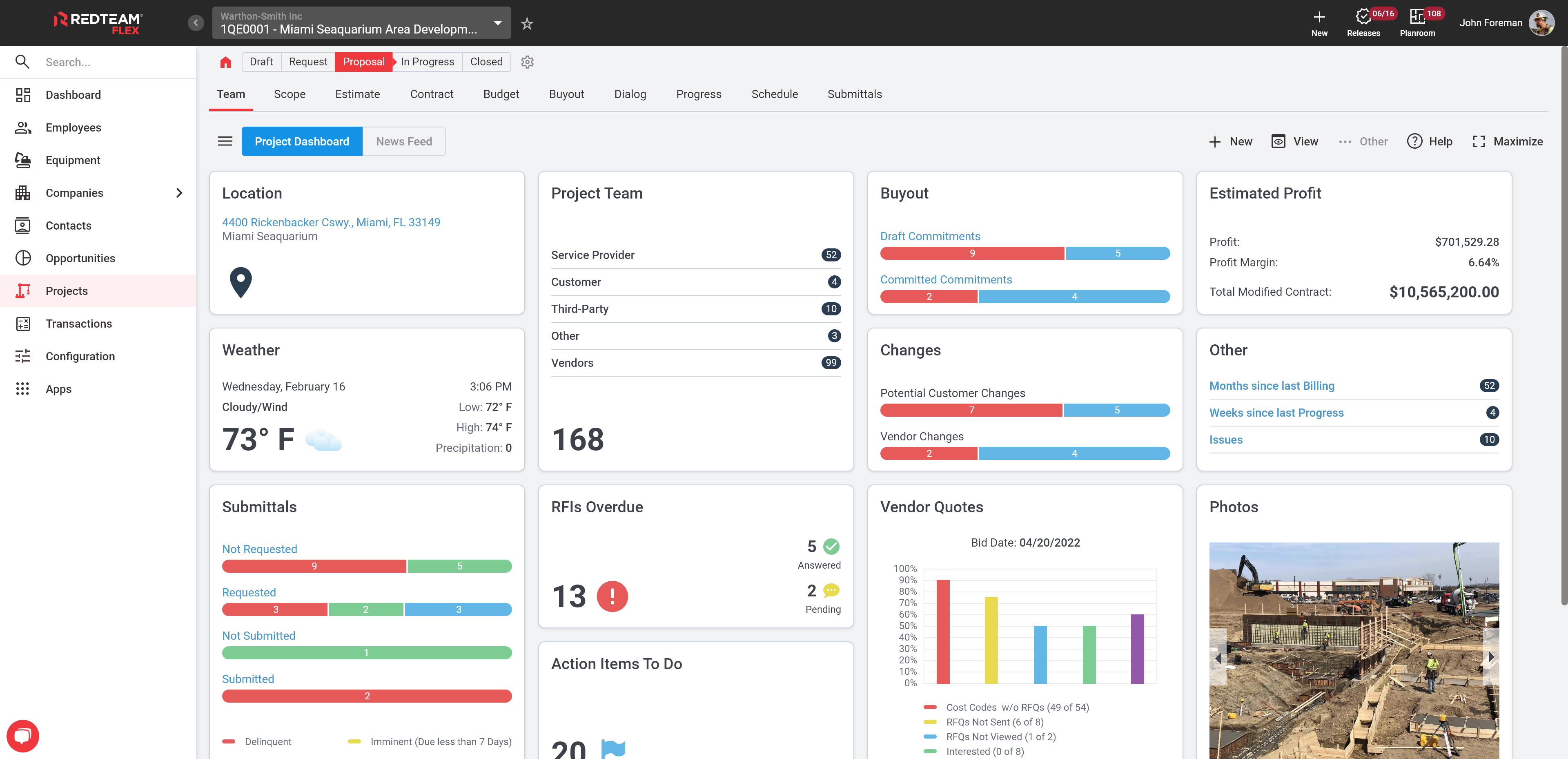
RedTeam Flex serves commercial general contractors and construction managers. It covers estimates, bid leveling, drawings, RFIs, submittals, changes, Gantt schedules, daily progress, vendor approvals, AIA-style and cost-plus billing, WIP reports, and lien waivers.
Custom pricing follows active project value rather than users. RedTeam includes unlimited users, projects, storage, and support. Integrations cost extra. Implementation and onboarding packages start at $2,750.
Choose RedTeam Flex for configurable commercial workflows, vendor controls, and financial visibility without per-seat pricing. A fast, limited rollout favors a smaller system. Include implementation, accounting connections, templates, and approvals in total cost.
9. Simpro: Best for contractors managing service and project work
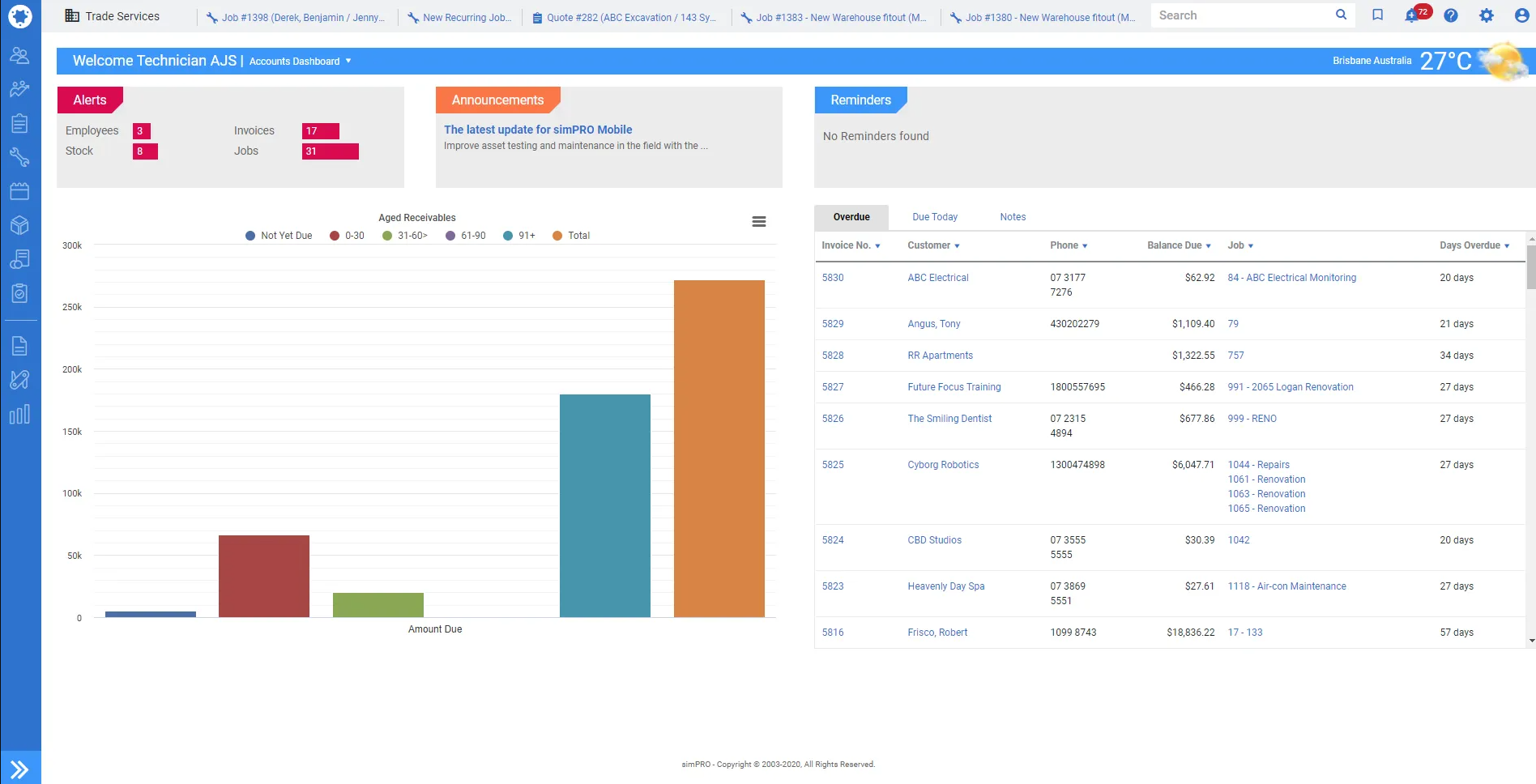
Simpro fits growing trade contractors combining service calls, maintenance, quoted work, and projects. Its base platform covers quotes, estimates, scheduling, inventory, purchasing, field operations, project and service management, invoicing, reports, and accounting integrations including QuickBooks.
Simpro uses custom pricing, and an initial setup fee covers onboarding, training, and data migration. It fits operations connecting materials, field teams, service history, and project financials.
Choose Simpro when a trade contractor runs substantial service and project workflows. Large general-contractor or infrastructure projects centered on subcontractor management need a different platform category. Simpro is trade-business software, not every enterprise construction workflow.
How to Choose General Contractor Software
Start with the operating constraint, not the longest feature list. Match the platform to the work, system owners, accounting data, and process changes the team sustains. Then compare company size, project complexity, implementation effort, training, total cost, and a real-job pilot. This sequence turns a long vendor list into a defensible shortlist.
Match the platform to your work mix
Separate field-time problems from full project-management problems. One contractor needs crew hours and schedules. Another needs client selections, change management, or connected job financials. List the five workflows that must improve.
Size the system to project complexity
Headcount is one signal. Count active projects, crews, locations, subcontractors, cost codes, approvals, stakeholders, and accounting entities. Use construction KPIs to connect required capabilities to measurable problems.
Confirm accounting and payroll data flow
Ask which records sync, in which direction, at what frequency, and who resolves errors. Check whether jobs, tasks, employees, customers, invoices, vendors, and cost codes match across systems. Test a real job.
Budget for implementation and total cost
Compare subscriptions, users, setup, migration, training, integrations, fees, support, contract length, and internal administration. Review that total alongside construction profit margins, not as an isolated IT expense.
Run a controlled pilot
Pilot one representative project with an office owner and small field group. Test setup, scheduling, field updates, documents, approvals, accounting, reports, and closeout against a construction timesheet template.
Use a construction proposal template to compare estimate and approval steps separately.
Check the growth path
Ask what changes when the business adds crews, regions, or project types. To grow a construction business, buy for the next repeatable process, not an imagined enterprise structure.
When Specialist Tools Make More Sense
A full platform is not always the right purchase. Specialist software solves a defined gap when the existing accounting or project system already works. These tools came from the original article, but product transitions and narrower use cases make them better companions than primary all-in-one platforms. Use this route when one workflow needs depth and the core system remains reliable.
| Specialist tool | Use it when the main need is | Current positioning note |
|---|---|---|
| STACK Takeoff & Estimate | Digital takeoff and estimating | Preconstruction tool for quantities, estimates, and bid collaboration |
| STACK Build & Operate, formerly SmartUse | Plan viewing and field markup | SmartUse branding has moved into STACK |
| Fleetio | Fleet maintenance and asset cost control | Complements construction operations rather than replacing project software |
| magicplan | Mobile floor plans and estimate inputs | Suits site capture, remodeling, and restoration workflows |
| SmartBid | Invitations to bid and subcontractor communication | Now part of ConstructConnect and focused on preconstruction |
| Safety Meeting App | Toolbox talks and safety documentation | Purpose-built for meeting, attendance, incident, and compliance records |
| SafetyCulture, formerly iAuditor | Inspections, checklists, and corrective actions | Current product name replaces the old iAuditor-only label |
| Sage 100 Contractor | Construction accounting and business operations | Fits small and midsize contractors needing job cost and accounting depth |
| ConDoc | Drawings, documents, RFIs, and submittals | Focused on document and project communication workflows |
| Contractor Compliance, now VelocityEHS | Contractor safety, permits, and compliance | The former product has moved into the VelocityEHS offering |
| Buildr | Preconstruction CRM, estimating, and workforce planning | Focused on winning and handing over work before project execution |
Choose the Platform That Fixes the First Constraint
Start with the work that causes the most re-entry, delay, or uncertainty. Small and growing contractors needing dependable crew time, labor cost records, scheduling, and accounting exports put ClockShark on the shortlist. Home builders, commercial GCs, BIM-heavy teams, and mixed service-project contractors evaluate the platform aligned to their delivery model and implementation capacity.
Use real jobs in every demo, price the complete implementation, and involve the field employees and office owners who will maintain the data. When field time and crew coordination are the first constraints, test ClockShark for general contractors with your own jobs, tasks, schedule, and accounting process.
Frequently Asked Questions
What is the difference between general contractor software and construction project management software?
General contractor software covers the whole contracting business, including leads, estimates, crew time, job costs, invoices, and accounting handoff. Construction project management software concentrates on delivering projects through schedule, cost, quality, safety, scope, documents, and collaboration, which aligns with the CMAA construction-management definition.
How much does general contractor software cost?
Published entry prices in this comparison run from free to $199 per month before added users, while five broad platforms require custom quotes. Budget beyond the subscription: the SBA software checklist notes that complexity adds installation and configuration costs, especially when buyers require consulting help.
What software do small general contractors need?
Small general contractors need reliable time records, job and task tracking, crew scheduling, estimates or proposals, accounting transfer, and simple reporting before enterprise controls. The SBA recommends checking integration, upgrade options, similar-business fit, and low-risk trial terms so the first system supports growth without forcing an early replacement.
Can general contractor software integrate with QuickBooks?
Yes. General contractor platforms integrate with QuickBooks, but records and sync direction differ by product. Intuit's QuickBooks Online API documentation shows apps using Customer, Vendor, Employee, Invoice, Bill, and Payment entities. Verify the exact customer, job, time, cost, invoice, vendor, and error-handling workflow before purchase.